
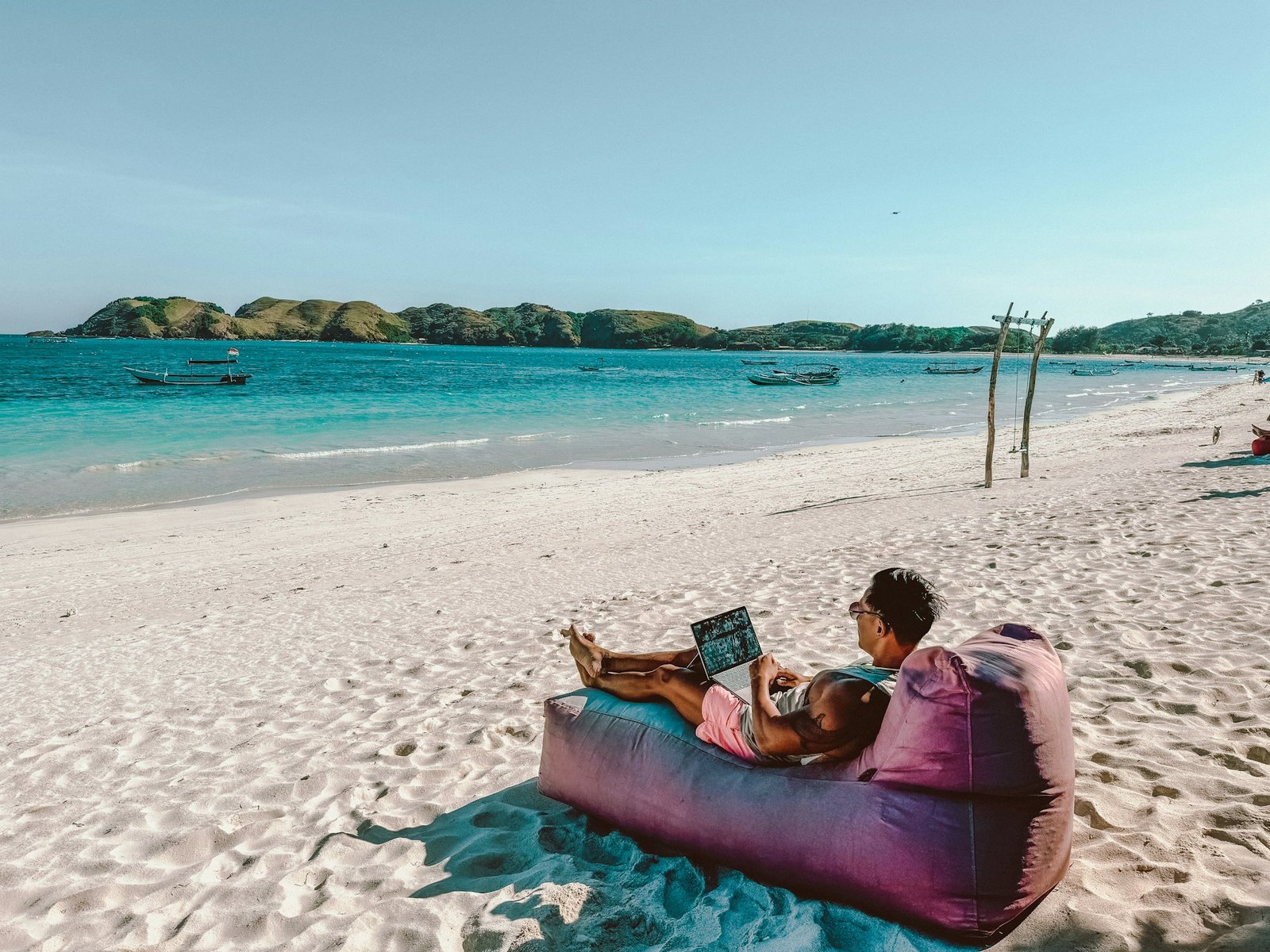
Can You Work Remotely While Doing Worldpackers in 2026? Complete Guide for Digital Nomads
In today’s world, more professionals are rejecting the 9-5 grind and embracing location-independent lifestyles. Worldpackers has become a game-changer for remote workers who want to stretch their income further while gaining meaningful cultural experiences. But the big question remains: Can you actually hold down a remote job while participating in Worldpackers?
The short answer is yes — thousands of digital nomads successfully do it every year. However, success depends on choosing the right hosts, managing your schedule, and setting clear expectations. This 3000+ word ultimate guide will walk you through everything you need to know to make remote work and Worldpackers work together harmoniously in 2026.
Why Remote Workers Love Combining Jobs with Worldpackers
Worldpackers allows you to trade 15–30 hours of volunteer work per week for free accommodation (and often meals). For a remote worker earning $3,000–$6,000/month, this can slash monthly expenses from $2,000+ to under $800, including food and activities.
Key Advantages:
- Dramatically lower cost of living
- Deep cultural immersion without tourist prices
- Built-in community and social life
- Opportunity to give back while traveling
- Flexible schedule for focused deep work
How Worldpackers Supports Remote Workers (2026 Reality Check)
Worldpackers has evolved significantly. Many hosts now specifically welcome digital nomads and remote workers. You’ll find filters for “Good WiFi,” “Workspace available,” and “Flexible hours” on the platform.
Typical Weekly Schedule Example (Balanced Remote + Worldpackers):
| Time Slot | Monday–Friday | Saturday–Sunday |
|---|---|---|
| Morning (8–12) | Remote Job Deep Work | Volunteer tasks or free |
| Afternoon (1–5) | Volunteer Work (4-5 hrs) | Remote work or exploration |
| Evening | Free / Cultural activities | Rest & social |
Many remote workers negotiate mornings free for client calls and volunteer in the afternoons.
Best Types of Hosts for Remote Workers on Worldpackers
Not all hosts are equal when working remotely. Here’s a breakdown:
| Host Type | WiFi Quality | Flexibility | Best For | Rating for Remote Workers |
|---|---|---|---|---|
| Hostels & Guesthouses | Excellent | High | Social nomads | 9/10 |
| Eco Farms & Permaculture | Variable | Medium | Nature lovers | 6/10 |
| Yoga & Wellness Retreats | Good | High | Mindful professionals | 8/10 |
| Language Schools / NGOs | Very Good | Medium-High | Teachers & community workers | 8.5/10 |
| Creative Projects | Good | High | Designers & marketers | 9/10 |
| Family Homes | Variable | Medium | Cultural immersion | 7/10 |
Pro Tip: Always filter for hosts who mention “digital nomad friendly,” “high-speed internet,” or “dedicated workspace.”
Top 12 Destinations for Remote Workers Doing Worldpackers in 2026
- Portugal (Lisbon, Porto, Algarve) — Excellent internet, digital nomad visa
- Bali, Indonesia — Nomad hubs + cheap living
- Costa Rica — Nature + strong WiFi in popular areas
- Mexico (Oaxaca, Mérida, Puerto Vallarta)
- Thailand (Chiang Mai, Pai)
- Spain (Valencia, Granada)
- Colombia (Medellín, Bogotá)
- Vietnam (Da Nang, Hoi An)
- Peru (Cusco, Lima)
- Italy (Tuscany countryside with good connections)
- Georgia (Tbilisi) — Very affordable
- Morocco — Emerging favorite
Worldpackers Remote Work Schedule Strategies
Strategy 1: Morning Professional / Afternoon Volunteer Most popular and recommended.
Strategy 2: 3 Days Remote + 4 Days Volunteer Heavy Good for project-based workers.
Strategy 3: Weekend Catch-up Handle volunteer hours weekdays and remote work on weekends.
Strategy 4: Mini Digital Detox Stays Choose low-internet farms for 2–3 weeks to recharge.
Detailed Pros and Cons
Pros of Working Remotely on Worldpackers:
- Monthly savings of $800–$1,800
- Meaningful experiences instead of just “vacation”
- Built-in accountability and routine
- Amazing networking opportunities
- Skill development in both professional and practical areas
- Lower stress (no rent pressure)
Cons:
- Unreliable internet in rural areas
- Potential host conflicts over work hours
- Distractions from social/hostel environment
- Time zone challenges with your remote team
- Fatigue from balancing two roles
- Visa complications in some countries
Worldpackers vs Other Platforms for Remote Workers
| Platform | Remote Worker Friendly | Internet Filter | Cost/Year | Flexibility | Overall Score |
|---|---|---|---|---|---|
| Worldpackers | Excellent | Yes | $49 | High | 9.2/10 |
| Workaway | Very Good | Limited | $59 | High | 8.7/10 |
| HelpX | Moderate | No | ~$20 | Medium | 6.5/10 |
| TrustedHousesitters | Good | N/A | $129 | Very High | 8.0/10 |
| Nomad List Stays | High | Strong | Varies | High | 7.8/10 |
Verdict: Worldpackers currently offers the best balance of cost, host quality, and digital nomad features.
Essential Tips for Success in 2026
- Test Internet Before Committing — Ask hosts for recent speed tests (use speedtest.net screenshots).
- Be Upfront in Applications — Clearly state you have a remote job and need reliable WiFi + quiet hours.
- Pack Smart — Noise-cancelling headphones, portable WiFi router, power bank, ergonomic accessories.
- Set Boundaries — Agree on exact volunteer hours in writing.
- Choose Hosts with Experience — Look for hosts who have hosted digital nomads before.
- Backup Internet Plans — Know nearby cafes with good WiFi.
- Time Zone Management — Prioritize hosts in similar time zones to your team.
- Productivity Hacks — Use co-working spaces nearby when needed.
Gear Checklist for Remote Worldpackers:
- Laptop + charger
- Noise-cancelling headphones
- Portable hotspot / eSIM data
- Travel router
- International power adapter
- Ergonomic seat cushion
Real Experiences from Remote Workers on Worldpackers
Sarah K. (Software Developer, USA): “I worked as a frontend developer while helping at a hostel in Lisbon. Mornings were for coding, afternoons for guest activities. Saved $1,400 in two months and made lifelong friends.”
Alex Rivera (Content Creator, Spain): “Best decision ever. Stayed at an eco-farm in Costa Rica with surprisingly good Starlink internet. Balanced farm work and client projects perfectly.”
Maria Lopez (Marketing Manager, Colombia): “Had one bad experience with poor WiFi in rural Bali. Learned my lesson — now I always video call hosts first to check connection.”
Common Challenges & How to Solve Them
Challenge 1: Poor Internet Solution: Only apply to hosts with verified good reviews mentioning WiFi.
Challenge 2: Host Expects More Hours Solution: Clarify everything in messages and reconfirm upon arrival.
Challenge 3: Burnout Solution: Schedule at least one full free day per week.
Challenge 4: Time Zone Issues Solution: Choose destinations with 0–7 hour difference.
Worldpackers Pricing for Remote Workers
- Individual Plan: $49/year
- Couples Plan: $59/year (perfect for digital nomad couples)
The membership pays for itself within the first 7–10 days of a successful stay.
Frequently Asked Questions (FAQs)
Can you really work full-time remotely while on Worldpackers? Yes, but it’s better described as part-time remote work + volunteering. Most people work 20–30 hours on their job and 20–25 hours volunteering.
Do hosts allow remote workers? Many do. Search for “remote worker,” “digital nomad,” or “laptop friendly” in the description.
Is it legal to work remotely on a tourist visa? Generally yes, as long as you’re not employed locally. However, check specific country rules (Portugal and Mexico are very friendly).
What’s the best WiFi speed needed? Minimum 15–20 Mbps download for most remote jobs. 50+ Mbps is ideal for video calls.
How do I explain Worldpackers to my employer? Frame it as a cultural exchange program that helps you gain new perspectives while maintaining full productivity.
Can I do Worldpackers with a 9-5 corporate job? Possible but challenging due to time zones. Best for freelancers, async workers, or those with flexible hours.
What if the WiFi is bad after arrival? Contact Worldpackers support. Their Safeguard program can help mediate or find alternative solutions.
Is it safe for solo female remote workers? Yes, especially in well-reviewed hostels and cities. Always read recent reviews and trust your instincts.
How long can I stay with one host? Most stays are 2–12 weeks. Many hosts allow extensions if both parties are happy.
Do I need to declare income while doing Worldpackers? Your remote job income is taxed in your home country as usual. Worldpackers itself provides no income.
Final Verdict: Should You Do It?
Yes — if you are:
- Self-disciplined
- Flexible
- Good at setting boundaries
- Willing to compromise on luxury for experience
Maybe not — if you:
- Need absolute quiet and high-speed internet 24/7
- Have very strict 9-5 meetings across many time zones
- Prefer predictable luxury travel
For the right person, combining Worldpackers + remote work is one of the most financially and experientially rewarding ways to travel in 2026.
Ready to Start Your Remote Worldpackers Journey?
Worldpackers offers an incredible opportunity to work remotely while living like a local and making a positive impact.
Action Steps:
- Upgrade to a Worldpackers membership
- Update your profile mentioning you’re a remote worker
- Start applying to “laptop friendly” hosts 4–6 weeks before travel
- Join Worldpackers Facebook groups for digital nomads
The world is more accessible than ever. Combine your remote career with meaningful experiences and start creating stories worth telling.
This guide is for informational purposes. Always verify latest platform features, visa rules, and host details directly.





Be First to Comment